Drive Traffic & Sales: Pinterest Marketing Guide for Small Businesses (2026)
For small businesses on a tight budget, boosting sales through Pinterest marketing is a great option. Although people love Pinterest as a visual search engine or inspiration discovery tool, an increasing number of users are starting to buy products through it. For small business owners, this means more opportunities to gain attention and reach potential customers.
In this guide, we will walk you through exactly how to use Pinterest for marketing, including how to set up your profile, optimize your Pins, run Pinterest ads. This is a high-density guide, and we hope it helps you grow your business.
What is Pinterest marketing? How do you use it?
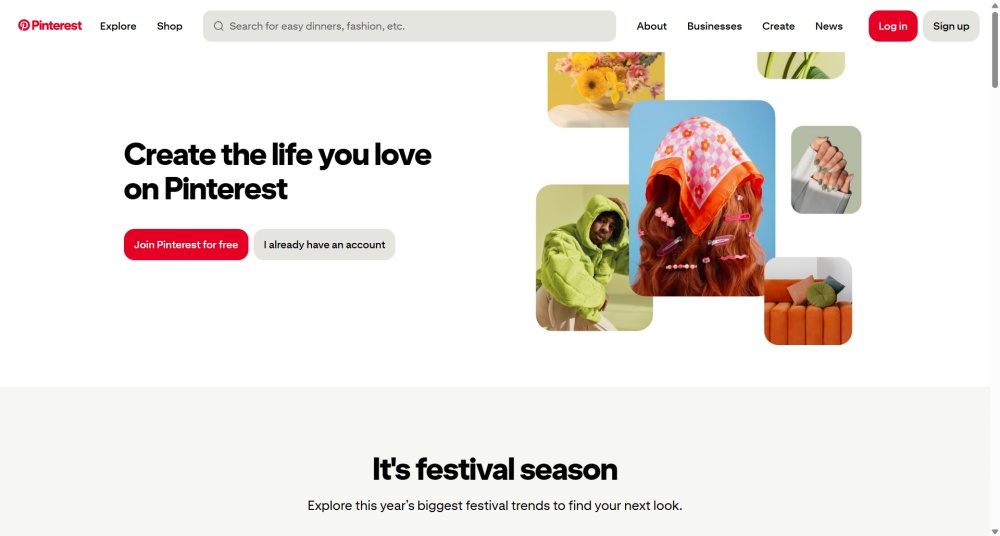
To understand Pinterest marketing, you first need to understand the platform itself. It is a powerful visual search engine where users can discover ideas, products, and inspiration by typing keywords into the search bar.
Pinterest marketing is primarily about attracting users by creating and sharing visual content (Pins). Pinterest allows you to link these visual assets back to your website, products, or content. This means you can promote your products, services, or drive traffic to your articles and landing pages by creating and publishing a series of high-quality, original images. This is incredibly helpful for early-stage brand exposure and traffic generation.
Unlike the fleeting content on Instagram or TikTok, Pinterest content has a compounding effect. When other users save (Pin) your content to their own Pinterest boards, your content becomes visible to their followers. If it accumulates enough saves, your content will rank in relevant search results and can continue to drive traffic for years after it was originally posted.
Why Your Business Needs Pinterest Marketing
Pinterest has a large user base
Pinterest has 631 million active users worldwide, making it a platform with massive traffic potential. It is one of the most popular social media platforms in the world, boasting nearly 2 billion searches per month, and the vast majority of its users come with clear search intents. This provides small businesses with a tremendous opportunity to boost traffic and earn referral revenue.
Boost brand awareness through visual discovery
Hard selling doesn't work well on Pinterest; users prefer brands that offer high-quality content. Branded searches make up only about 4% of total searches on Pinterest, meaning the vast majority of users are still in the early stages of the buying journey when they arrive. They are looking for ideas and products that inspire them—which is exactly your window of opportunity. Introduce your product and brand to customers at the right moment, using visual content to help them get to know your brand.
Higher purchase intent and conversion rates
People visit Pinterest to plan purchases, gather project inspiration, and research products, rather than aimlessly scrolling. These users arrive with high purchase intent and have a much higher probability of converting. The data backs this up: a Pinterest study found that Pinterest users spend 80% more per month than users on other platforms, and their average order value is 40% higher.
Long-term content value and compound growth
Unlike content on TikTok and Instagram, which vanishes within hours or days, Pinterest content continues to generate impressions and clicks because the algorithm constantly pushes relevant Pins to new users. In contrast, a video on TikTok or Instagram might go viral for a short period and then completely disappear from users' feeds, failing to deliver long-term value and compound growth.
How Small Businesses Can Build an Effective Pinterest Marketing Strategy
1. Set your goals
What do you want to achieve with Pinterest marketing? Every brand and business is at a different stage, so you need to set one or more goals based on your specific situation. These marketing goals typically include:
- Increase brand awareness: In the early stages of your brand, don't rush to post promotional messages. Instead, focus on showcasing your brand personality and building customer trust by posting creative content that authentically represents your brand.
- Generate leads and drive sales: Once your brand has built a following, you can use Pins to drive traffic to your website for conversions, or you can sell directly on Pinterest.
- Reach new audiences: To expand into new demographics, you must find various ways to introduce your brand on Pinterest and engage with followers. Capture users' attention using different types of content.
For small businesses, it's best to start with brand awareness by focusing on creating high-quality Pins in your niche or curating Pinterest Boards with regular updates. Sticking with this consistently will be highly beneficial for getting your business off the ground.
2. Understand your target audience
The key to Pinterest marketing success lies in understanding the users and your target audience. Take the time to research the data and behavioral patterns of different user segments to map out your ideal Pinterest user persona. This data will guide your content creation.
A female-dominated user base: According to the latest 2026 data, about 70% of Pinterest's global active users are women, with female millennials aged 25-34 being the platform's largest core demographic. However, the male user base is growing rapidly, with Gen Z men hitting an all-time high in user numbers.
Diverse popular niches: On Pinterest, the most popular categories are home decor, fashion and beauty, food and drinks, and lifestyle and DIY.
Gen Z makes up over 50% of total users: Gen Z is the driving force on Pinterest, and this highly active group continues to fuel the platform's prosperity.
International growth: Users outside the US also love the platform; of the 600 million monthly active users, over 80% are from outside the United States.
3. Set Up a Pinterest Business Account
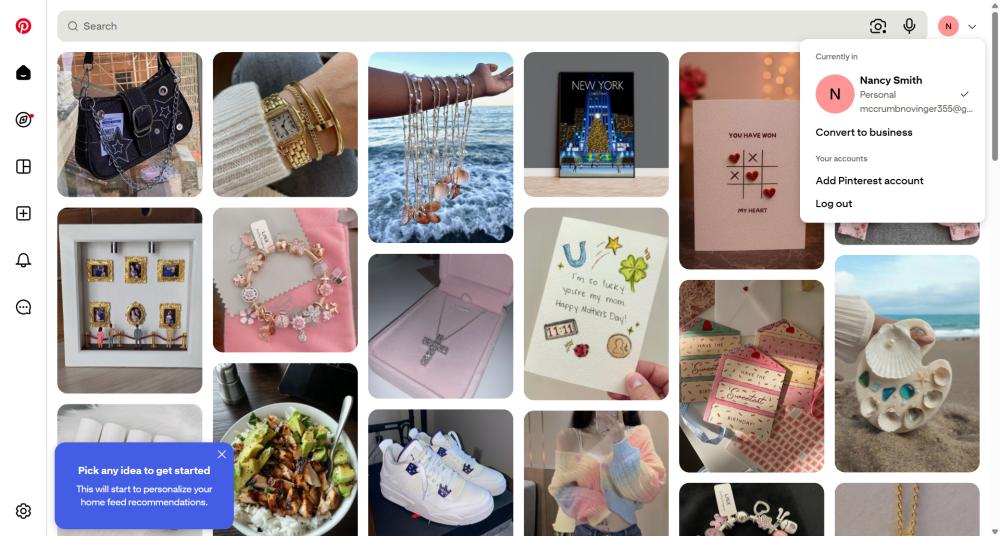
Pinterest offers both personal and business accounts, and both are free. However, a business account unlocks social media analytics, advertising, and shopping features, so make sure you are using a business account. To convert a personal account into a business account, go to the account changes section in your settings, click "Convert to business," and follow the step-by-step prompts.
First, complete your Pinterest profile by uploading your brand logo and optimizing your brand description with keywords to tell users what products and services you offer. You can link your account to your website and other social media profiles. Importantly, ensure your brand image remains consistent across your website and other social media profiles.
If your website runs on Shopify, you can also install the Pinterest app directly on Shopify. Besides Shopify, you can also connect your Etsy account; however, e-commerce marketplaces like Amazon and eBay currently cannot be claimed as assets.
4. Use Pinterest Trends for content planning
Pinterest Trends is a content planning tool similar to Google Trends, providing search interest line graphs, related keywords, and regional search data.
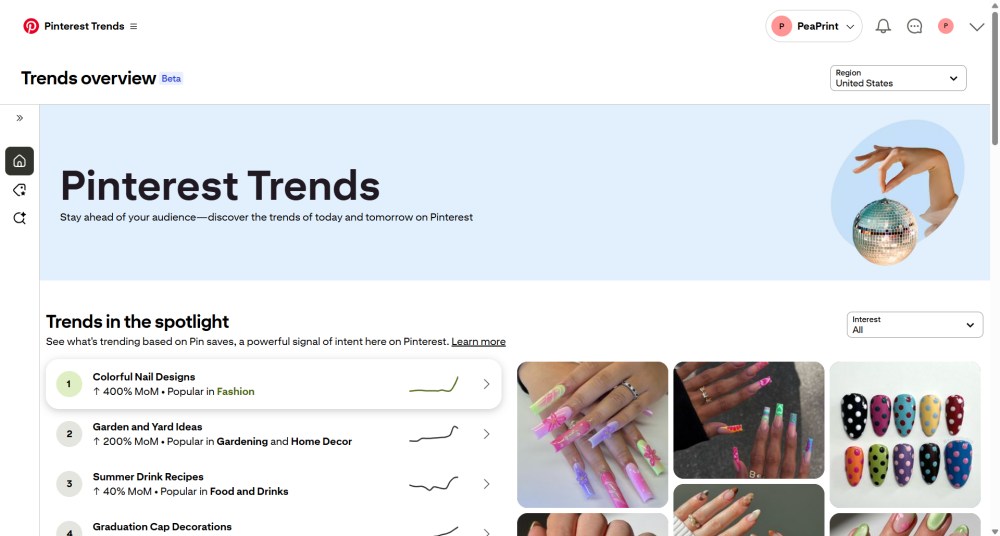
How to use Pinterest Trends for content planning?
- Select a specific market in the country/region dropdown menu in the top right corner to understand local trends. You can also use the left sidebar to filter the audience by specific age ranges or view trend data exclusively for a specific gender.
- Start by browsing the "Discover trends" dashboard on the homepage. This shows the fastest-growing terms this month, consistently growing terms over the year, and seasonal trends. If you notice a specific visual aesthetic skyrocketing, you can incorporate it into your upcoming content strategy.
- Dig for long-tail contextual keywords rather than just product keywords, because users on Pinterest mostly search for use-case scenarios. Look for long-tail keywords in the related trends, such as "Boyfriend anniversary gift ideas" or "Long distance relationship gifts."
- Build a 3-tier content funnel from traffic to conversion: First, create dedicated landing pages on your website based on the trend keywords you uncovered. Next, set up scenario-based Pinterest Boards that correspond to these landing pages, ensuring the board descriptions include those specific trend keywords. Finally, create and publish high-quality, creative Pins, and link them directly to your landing pages.
5. Invest in Pinterest SEO
As we mentioned at the beginning, Pinterest is a visual search engine, making Pinterest SEO a crucial part of our marketing strategy. Content on Pinterest influences users' purchasing decisions and can even directly drive conversions. Pinterest SEO ensures your Pins appear in users' search results when they look for related products by optimizing your keywords and content themes.
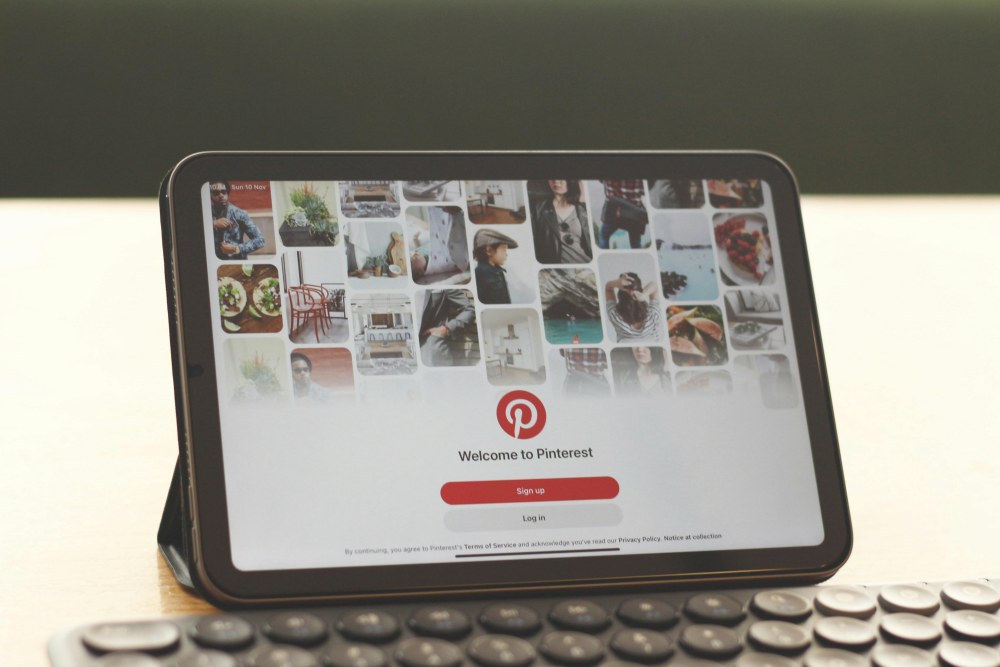
Conduct Pinterest keyword research. Type broad terms related to your product or niche into the Pinterest search bar, and you'll see a drop-down list of automatic search suggestions. Additionally, at the top of the search results, you'll find guided search bubbles used to drill down into more specific results. These are keywords that real users are actively searching for, while the bubbles are generated by the algorithm based on actual search behavior, showing you the subcategories and keyword combinations users want. You can record primary and secondary keywords for each content type or product category to guide your Pin creation and optimize your titles and descriptions.
Optimize Pin descriptions. The Pinterest algorithm primarily relies on your Pin descriptions to understand your content and context, which dictates how it matches your content with user searches. Optimizing your Pins is the key to gaining impressions and clicks. Make sure to include keywords in your descriptions, specifically placing the most important keywords within the first few words rather than burying them at the end. When writing descriptions, don't sacrifice user-centricity just to keyword stuff, or your Pins will be flagged as spam. A description like "funny t-shirt" will easily get buried, but "funny pet-themed t-shirt" is much more likely to be accurately matched by the algorithm to users looking for exactly that. If your goal is to drive sales, you can also add a call to action in your description. Pin titles don't need to be too long; although you can enter up to 100 characters, only 40 characters are displayed in the feed, so keep your titles as concise as possible.
Create optimized Pinterest Boards. Pinterest allows users to organize their Pins by topic or theme, and you can also save other people's Pins to your own boards. Boards are not just folders for sorting images; they are powerful SEO hub pages. Therefore, you cannot manage commercial boards with the same mindset you use for personal photo albums. Create boards around the keywords your target audience is searching for; use board titles and descriptions that include these keywords. In addition to basic product catalog boards, you must create inspiration boards. For example, scenario-based content like "Festival Outfit Inspiration" or "Father's Day Gift Guide." Don't forget to set uniform board covers, which makes your profile look professional and trustworthy. The key to optimizing Pinterest boards is keeping the board theme highly specific. Catch-all boards hold no value. The more specific the theme, the stronger the algorithm signal, and the more accurately your content will be pushed to your target audience.
6. Use multiple pin formats
To cater to different consumer browsing habits and various stages of the shopping funnel, Pinterest offers several Pin formats with distinct functions. For small businesses and sellers looking to maximize traffic and conversion rates, you must master the following five core Pin types:
- Product Pins: This is the most crucial and essential format for users. It falls under shopping pins; below or next to the image, it automatically scrapes and displays the product name in real-time, its current price, availability, and a checkout button that links directly to the product detail page. Upon clicking, users are taken straight to the product website to complete the purchase. This is one of the most popular pin types and yields the highest return on investment.
- Standard Pins: This is the most basic and abundant format on Pinterest, making it perfect for capturing long-tail search traffic. You must use vertical images with a 2:3 aspect ratio (e.g., 1000 x 1500 pixels) because they take up the most screen space on mobile devices. Don't just upload products on a plain white background; instead, add eye-catching text overlays. High-quality Pins will be saved by users to their inspiration boards, continuously driving organic traffic to you for months to come.
- Video Pins: In a feed dominated by static images, dynamic video content easily grabs users' attention. These can be short, looping videos of just a few seconds or slightly longer tutorials. They are perfect for showcasing product details, materials, or the product in use.
- Carousel Pins: This format allows you to include up to 5 swipeable images within a single Pin. Users can swipe left or right to view more details without leaving the feed. They are ideal for mini product catalogs or step-by-step tutorials. You can feature a full outfit on a model in the first image, followed by close-ups of the hat, t-shirt, and backpack in the subsequent images; or use it to show different color variants of the same design.
- Collections Pins: This is a highly visually impactful ad or shopping pin format optimized specifically for mobile devices. It features a large hero image, followed by 3 smaller related product thumbnails right below it. This drastically increases cross-selling opportunities. For instance, the hero image could be a beautiful poster for "The Perfect 2026 Father's Day Gifts," with the three smaller thumbnails linking directly to the purchase pages for your custom mugs, custom posters, and custom tote bags. Users clicking on any section are taken straight into the shopping process.
7. Develop a publishing schedule
The Pinterest algorithm favors consistency and freshness over batch-dumping content. Therefore, for small businesses with limited resources, the key is to batch create and schedule your posts. You don't need to hire a full-time social media manager; mastering the following four planning rules will help you build an automated traffic-generating publishing schedule.
- Publish Fresh Pins daily: Under the latest 2026 algorithm, Fresh Pins carry significantly more weight than repins. Posting 1-3 high-quality Fresh Pins a day is sufficient. Consistently publishing every day is far more effective than dumping 20 Pins all at once on a single day.
- Distribute content strategically: In your content calendar, the content you publish daily needs to be strategically mixed to cover different stages of the shopping funnel. Your content mix should include Product Pins linking to your product detail pages; Standard Pins linking to your website's blog posts or reviews; and Idea Pins focused heavily on lifestyle scenario imagery.
- Schedule seasonal content 60 days in advance: Important dates on the calendar are predictable, but many users start looking for inspiration a month or two early, so your publishing schedule must be 45-60 days ahead of the actual holiday. This gives the Pinterest algorithm enough time to index your images so that when massive numbers of consumers start searching for holiday gifts, your content is perfectly positioned at the top of the search results.
- Use automation tools: As a small business owner, you absolutely shouldn't be setting daily alarms to manually post images. You can plan all your topics for the upcoming month during the last week of the current month. Use Canva or Photoshop to create the 30-60 images you'll need for the next month. Utilize Pinterest's native scheduling tool or an officially recommended third-party tool like Tailwind. You only need to spend a few hours uploading all your images into the system and setting the times for them to post automatically each day; for the rest of the month, the system will do the work for you.
A great publishing schedule is boring but highly effective. Treat your Pinterest as a 24/7 search engine crawler feeding machine—the more consistently you feed it fresh content, the more stable the organic traffic it returns to you will be.
8. Run Pinterest Ads
Pinterest ads operate on a bidding model, allowing you to pay to have your Pins appear in user feeds or search results. These can be standard product pins or video pins, but they will be labeled as "Promoted." Through Promoted Pins, you can optimize for various goals such as brand awareness, purchase intent, conversations, and video completion rates. However, for a small business on a tight budget, spending money on brand awareness on Pinterest is pointless. Every cent of your ad spend should be directed toward clear conversions.
- Target conversions: The Pinterest ads manager offers a variety of campaign objectives; ignore brand awareness completely and select "Conversions" or "Catalog Sales." If you have already synced your product catalog to the backend, using Catalog Sales allows you to dynamically display your product information to the people with the highest purchase intent.
- Set a budget for your ad campaigns: In the Pinterest ads manager, if you don't set a strict budget cap, the system might drain your funds in a very short time. You can set a daily budget and a lifetime budget. It is recommended to set the initial testing budget for each campaign at $10 to $20 per day. This amount is enough to let the algorithm start testing the data while keeping your risk to a minimum.
- Implement retargeting: In your Pinterest ads manager, navigate to "Audiences" and filter for everyone who has visited your page in the last 30 days. Utilize the Pinterest Tag to accurately target people who triggered an "Add to Cart" in the past 14 days but did not purchase. Filter for people who have liked, repinned, or clicked on any of your Pins on the platform within the last 60 days. These users have already shown interest in your products, and you can apply different strategies to retarget them.
Pinterest advertising is a long game. Don't expect to see an incredibly high ROAS after just three days. The algorithm typically needs a learning phase of at least 2-3 weeks to figure out your best-converting audience. Be patient, test in small steps, and then scale up your budget.
How to boost your Pinterest marketing success rate
Want to grow your influence on Pinterest and boost sales? Explore the following best practices to improve your Pinterest marketing success rate.
- Become a Verified Merchant: When your store meets Pinterest's merchant guidelines, you can apply for the Verified Merchant Program (VMP). Once verified, your profile and Pins will receive a blue checkmark. You will also get priority placement in Pinterest's exclusive shopping sections (such as related Pins).
- Cross-post videos to Pinterest: Share your TikTok or Instagram videos to Pinterest. This saves you the time and effort of creating new content while keeping your account active.
- Avoid using link shorteners: Adding a link to your website or product purchase page in your Pin is standard practice. However, you must ensure you aren't using tools like bit.ly to shorten the link, because when Pinterest users click on short links, they might receive a spam warning, causing them to abandon the visit.
- Engage and collaborate with users: Pinterest is essentially still a social network, and you can build an online community there. For example, leave comments on your followers' Pins to build relationships. Ask influential followers and influencers to repin your content. Host giveaways, and offer discount codes, coupons, and product updates. Join or create group boards for collaboration.
- Monitor Pinterest Analytics: If you aren't tracking data, you aren't doing marketing; you're just wishing blindly. By utilizing performance data and analytics tools, you can understand which content performs well and use that data to shape your future marketing strategies.
FAQs
How do I create Pinterest content?
Pinterest content primarily consists of images or videos. Use your topic and keyword research to guide your content creation. The aspect ratio for images posted to Pinterest must be 2:3, as most users are on mobile devices. Additionally, your images should be clean and bright; it's recommended to slightly bump up the brightness and saturation, as Pinterest tends to darken images slightly during the publishing process. You can use many free tools to create Pinterest content, with Canva being my top recommendation.
How can I improve my Pinterest performance?
The Pinterest algorithm loves fresh content, so keep up with daily updates. Ditch broad vocabulary; instead, embed long-tail keywords with high purchase intent into your board titles, Pin descriptions, and text overlays. Connect your website so your product pins display real-time pricing and availability, shortening the transaction path and boosting click-through rates. Showcase your products in authentic use cases or share short videos of production details—this format currently enjoys high organic recommendation weight on the platform.
How do I start selling on Pinterest?
Pinterest's "Shop" feature is available to anyone with a business account who has properly linked their website to the platform. Once your website is connected, you can create product catalogs by category, list your products on Pinterest, and start selling. You can analyze your conversion data through Pinterest Analytics.
What types of content can I post on Pinterest?
Popular categories on Pinterest include home decor, fashion and beauty, food and drinks, and lifestyle and DIY. You can attract users by posting high-quality product pins, idea pins, and video pins around these categories.
What is the difference between a personal Pinterest account and a business account?
Personal accounts have limited functionality and do not include analytics, advertising, or shopping features. Business accounts get access to Pinterest Analytics, ad management tools, and other merchant tools, which are essential for promoting Pins. However, you can convert a personal account into a business account for free at any time.
How long does it take to see results from Pinterest marketing?
Pinterest is fundamentally a search engine. If you rely purely on organic traffic, it typically takes 3 to 6 months to see significant and stable traffic growth and conversions. The algorithm needs time to crawl, understand, and build search authority for your Pins. Although it starts slow, its advantage lies in the compound effect. While a standard social media post loses traction after 24 hours, a well-optimized Pinterest product image can continue to drive free traffic for months or even a year after it is published.